
How to Build an eCommerce Website: From Idea to Launch
A step-by-step path from requirements and prototyping to integrations, testing, and launch.
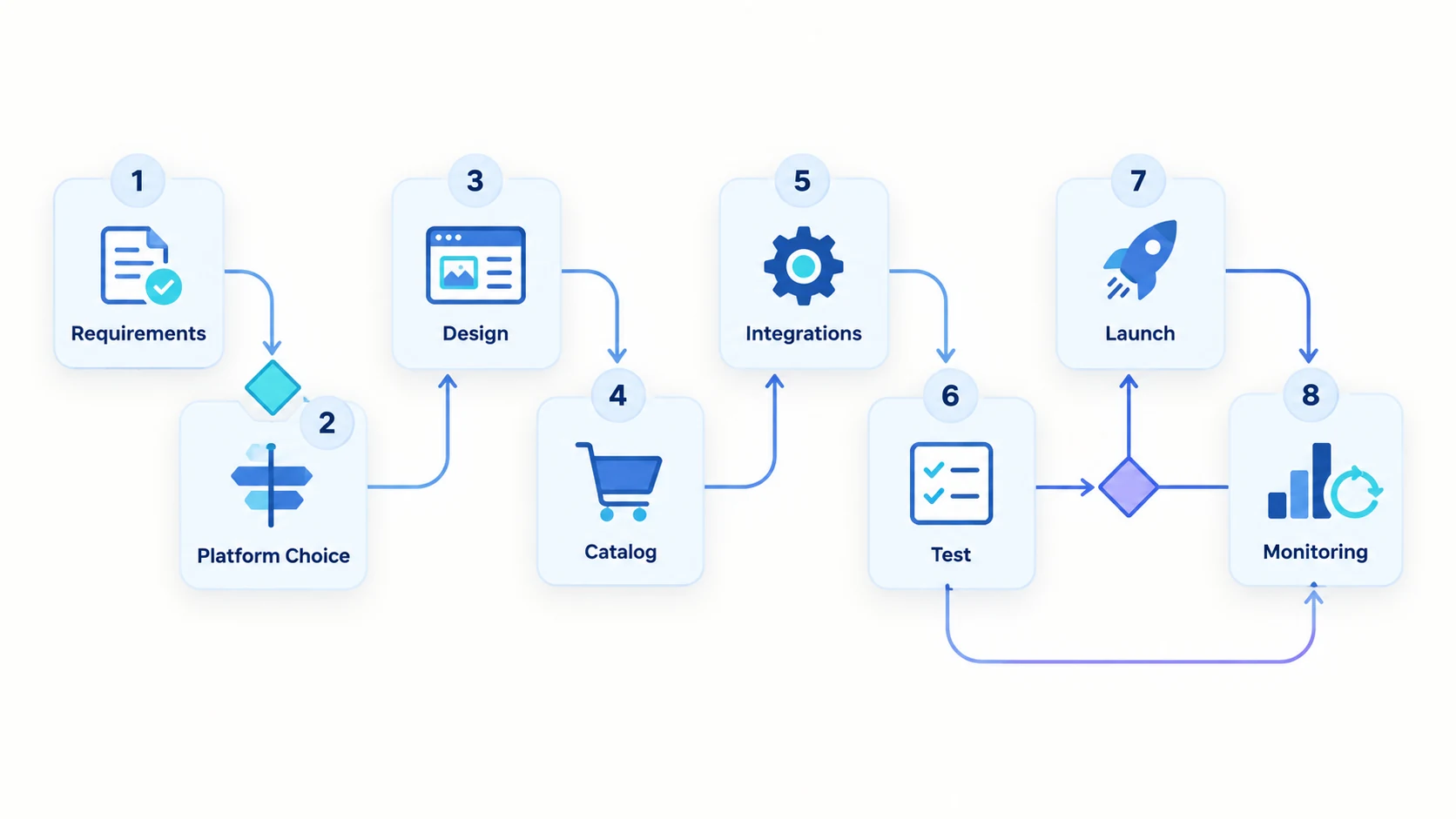
Building an eCommerce website is the design of a transaction system, not a sequence of attractive pages. The store must help customers discover products, make accurate decisions, pay safely, and receive reliable order updates while internal teams manage catalog, inventory, fulfillment, returns, and support.
The best development process reduces uncertainty early and produces a focused first release that can be operated and improved.
1. Define the commercial model
Begin with what the business sells, to whom, where, and under which rules. Document customer types, regions, currencies, taxes, catalog size, product variants, pricing, promotions, payment methods, delivery, returns, and support responsibilities.
Set measurable launch goals such as digital order share, conversion, average order value, reduced manual entry, or faster expansion into a region. Goals should guide scope decisions; they should not be presented as guaranteed outcomes.
2. Map customer and operational journeys
Cover the full path: landing, search, navigation, product evaluation, cart, checkout, confirmation, account, tracking, cancellation, return, and support. Include failure states such as rejected payments, unavailable inventory, invalid addresses, and delayed integrations.
Map internal workflows too. Determine how teams create products, approve content, update prices, reconcile orders, handle refunds, and investigate errors. A storefront can appear polished while creating costly manual work behind the scenes.
3. Choose the development approach
Hosted platform
Shopify and BigCommerce, and similar platforms reduce infrastructure and core-commerce engineering. They fit many standard and moderately customized stores. Evaluate transaction costs, app dependencies, checkout constraints, APIs, and international or B2B requirements.
Open-source platform
WooCommerce, Magento, and other self-managed products offer greater code and hosting control. They also require active security, performance, deployment, and upgrade ownership.
Composable or custom development
A composable system combines selected services behind APIs. Fully custom development owns more of the transaction model. These approaches can fit distinctive workflows, but they add integration and operational responsibility.
Choose against documented scenarios and total cost of ownership. Technology names such as React, Django, or Astro do not determine whether the commerce model is correct.
4. Design information architecture and UX
Create a taxonomy customers understand. Product categories, filters, search, attributes, comparison, and compatibility information should reflect how users make decisions rather than how internal systems happen to store data.
Design responsive journeys and all relevant states. Product pages should answer purchase questions. Checkout should request only necessary information, explain costs early, preserve input, and provide useful error messages. Account creation should not become an avoidable barrier.
Accessibility belongs in design and implementation: keyboard navigation, labels, focus behavior, contrast, status messages, and semantic structure are essential quality requirements.
5. Plan products, content, and migration
Define required attributes, variants, media, SEO fields, legal content, and ownership. Clean source data before migration. Test representative products, including complex variants, missing values, long descriptions, unusual prices, and discontinued items.
If replacing a site, inventory existing URLs and organic landing pages. Prepare redirect mapping, canonical rules, metadata, structured data, and analytics continuity before launch.
6. Design integrations
List every connected system and define the system of record for products, prices, inventory, customers, and orders. For each integration, specify direction, timing, authentication, mapping, validation, retries, reconciliation, and alerts.
Protect customer journeys from downstream failures. Queue noncritical work, cache appropriate read data, and make operational exceptions visible to support teams.
7. Build in complete increments
Develop vertical journeys rather than isolated layers. A working slice from product discovery through a test order provides more evidence than many unfinished components.
Use version control, automated checks, separate environments, repeatable deployments, and code review. Keep customizations focused and document important architecture decisions. Review cloud delivery and CI/CD scope when release ownership extends beyond the initial store build.
8. Test beyond the happy path
Test browsers, devices, accessibility, security, performance, analytics, taxes, shipping, discounts, payments, refunds, email, inventory, and integration failures. Rehearse migration and launch with production-like data.
Load testing should represent actual catalog and traffic patterns. Performance work should measure backend latency and Core Web Vitals rather than rely on a single synthetic score.
9. Launch with an operational plan
Define release steps, owners, checkpoints, rollback conditions, DNS changes, redirects, monitoring, customer support, and incident escalation. Freeze volatile data only when necessary and reconcile orders and accounts created during migration.
After launch, monitor errors, payment failures, search behavior, conversion steps, performance, and customer feedback. Prioritize fixes before adding features.
10. Improve the store as a product
Use analytics and qualitative research to identify friction. Maintain security and dependencies, review third-party scripts, improve product data, and test commercial changes carefully. A successful launch establishes a dependable improvement cycle.
Flexor’s B2B and B2C eCommerce store development work covers discovery, UX, architecture, implementation, integrations, and launch. See all eCommerce development services and learn about the company.
Frequently asked questions
How long does it take to build an eCommerce website?
A focused platform-based store may take weeks; a customized or integration-heavy platform often takes months. Data readiness, decisions, content, and external systems strongly affect timing.
What is the best technology for eCommerce development?
There is no universal best technology. Select a platform and architecture that fit the transaction model, team capability, integrations, ownership requirements, budget, and expected change.
Should I build an eCommerce website from scratch?
Only when core requirements cannot be met economically with established products. Reuse proven services for commodity capabilities and custom-build the functions that create meaningful value.
What should be tested before launch?
Test complete customer and operational journeys, including errors: pricing, inventory, payment, tax, shipping, refunds, permissions, analytics, accessibility, performance, migration, and integrations.
What should be ready before design starts?
Business goals, audiences, catalog structure, markets, pricing, fulfillment, returns, content ownership, integrations, and measurable launch criteria should be understood first.
How can SEO be protected during a rebuild?
Inventory existing URLs, map permanent redirects, preserve valuable content and metadata, validate canonical and hreflang, and compare analytics before and after launch.